Incoming moment
Use cases · People operations and employee help
Answer policy questions and protect human-only conversations
An hiify.ai agent can answer factual questions from approved policies, collect an employee request, and book HR time. Sensitive issues and decisions stay with the people team.
From first hello to handoff
The whole conversation, made explicit.
Each part is visible in the builder. You decide what the agent asks, which source it trusts, what connected action it can take, and when a person takes over.
What the agent understands
- The policy topic, requested next step, and contact details the flow asks for
- Handbook and process facts found in approved sources
- Whether the topic belongs in self-service, scheduling, or a private human path
What it can do
- Search approved policy knowledge
- Book an HR conversation through a connected provider
- Take a message or notify the designated team
Human handoff
Employee relations, complaints, benefits choices, employment decisions, and other sensitive topics move to a person without automated advice.
The agent does not make employment decisions or advise employees on legal, medical, or financial choices.
Operational change
What the team gets after the call
Not a promise of automatic outcomes. A clearer path from an incoming request to the next accountable step.
- 1
Consistent factual answers
Routine policy questions use the same approved employee material.
- 2
Bookable human support
Employees can choose a real HR time when a supported calendar is connected.
- 3
Explicit sensitive paths
The flow can bypass general automation and transfer or record a private request.
Example flows
Two ways a hr call can move
These are grounded examples, not live simulations. Each step maps to a builder block you can configure, connect, and publish.
Policy question
An employee asks where to find a form and how the published process works.
Understand
The agent searches the approved handbook or policy source and shares the factual answer.
Act
It offers an HR appointment if the employee still needs help.
Hand over
Questions requiring interpretation become a message or human conversation.
- Identify the topic
- Search policy knowledge
- Book HR time
- Record the request
Sensitive employee request
An employee raises a concern that should be handled privately.
Understand
The agent follows the sensitive branch and avoids coaching or investigation.
Act
It transfers to the designated contact or captures the minimum configured message.
Hand over
A qualified HR person takes responsibility for the conversation.
- Recognize sensitive path
- Collect minimum details
- Transfer privately
Inside the product
A workflow your team can inspect.
A real flow can separate approved policy answers from private, human-only employee paths.
hiify.ai · example workflow
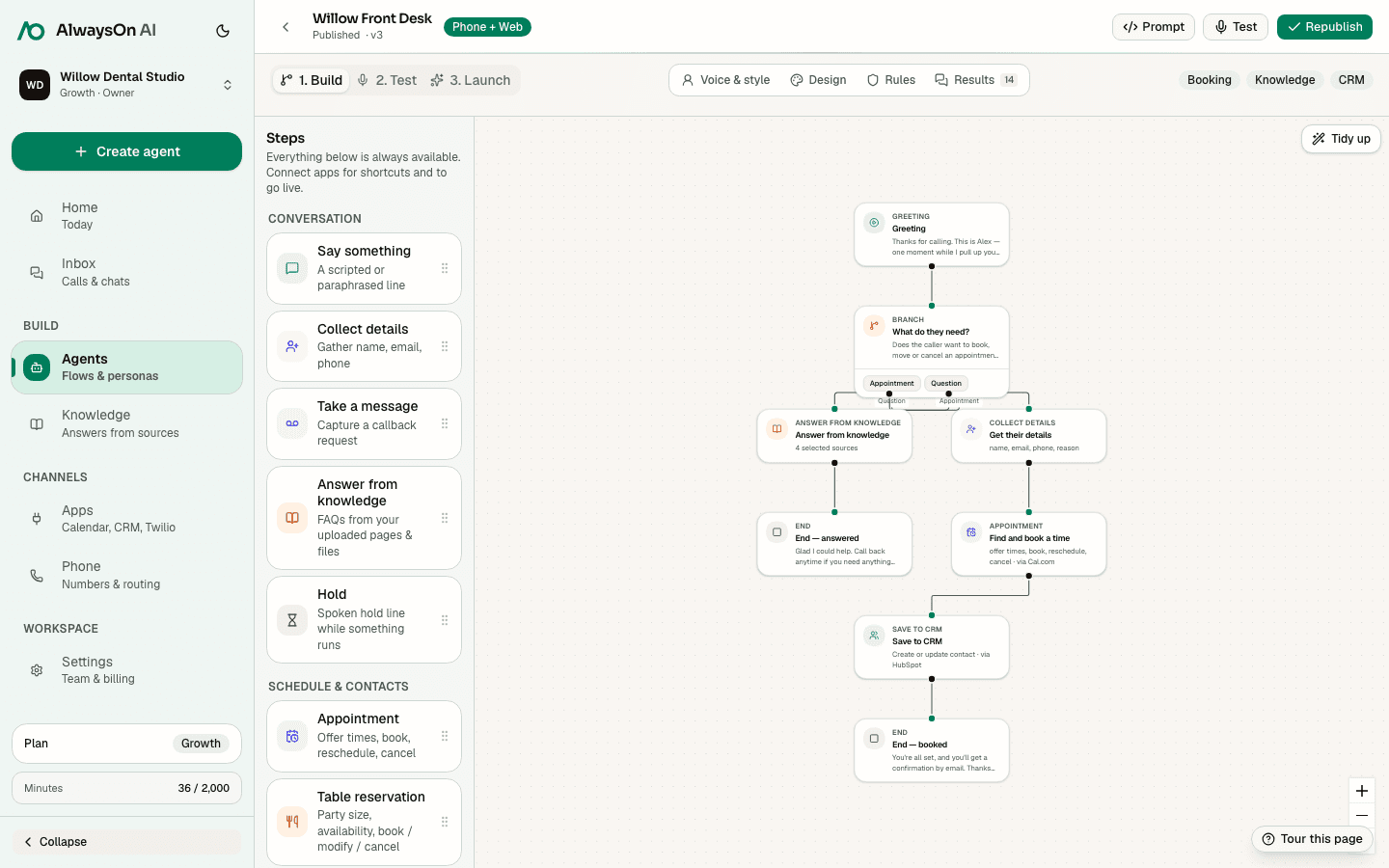
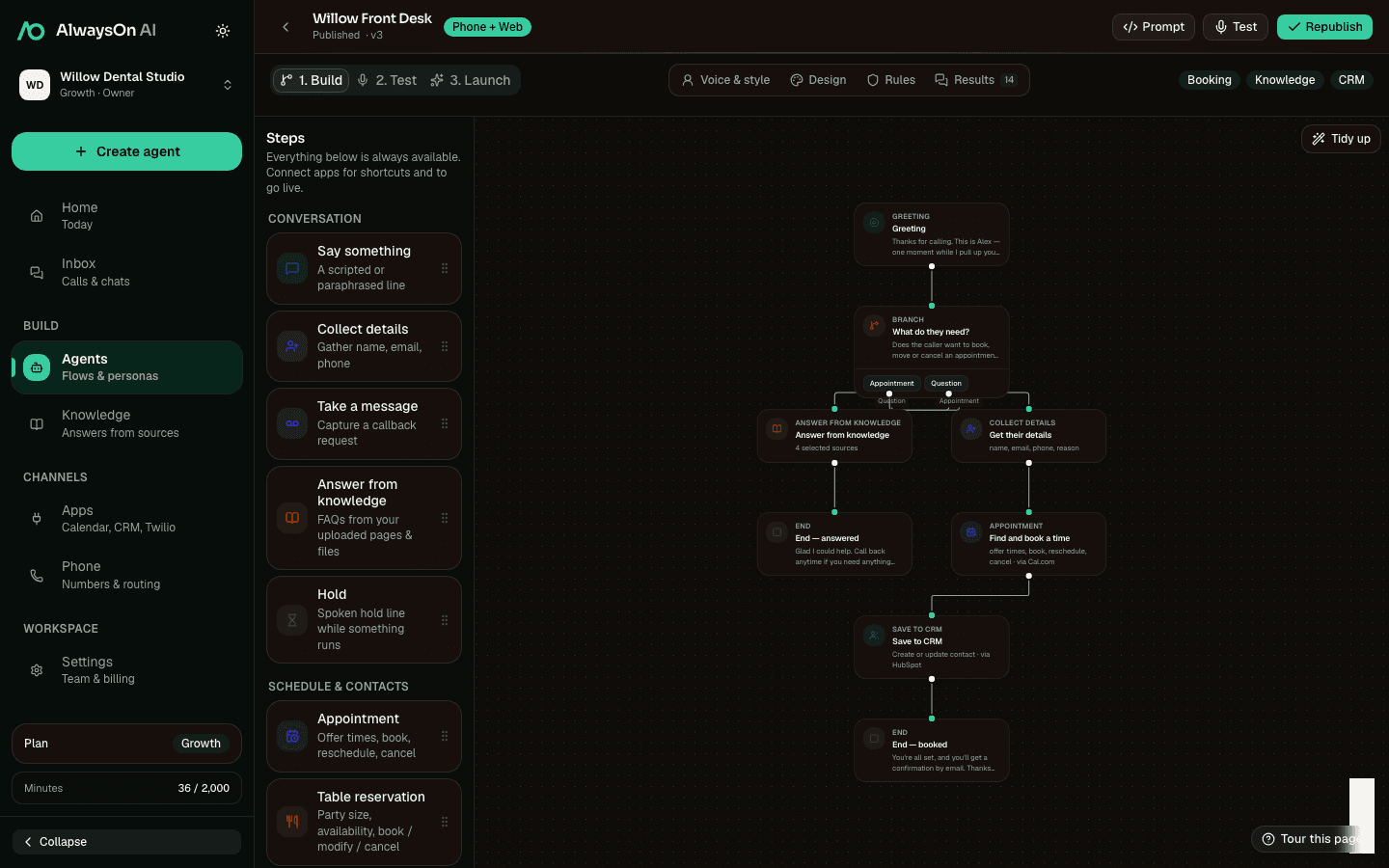
One buildable path · Policy question
- AskIdentify the topic
- KnowledgeSearch policy knowledge
- AppointmentBook HR time
- MessageRecord the request
Supported tools
Connect the step to the system that owns it
A practical starting set for hr workflows. Connect only the apps your team uses.
 Cal.comAvailability, booking, changes
 Microsoft BookingsMicrosoft Bookings connection
 TwilioPhone numbers and configured SMS
 Google CalendarAvailability and calendar events
 SlackConfigured team notification
 HubSpotCRM contact and call context
Availability, booking, lookup, changes, cancellation, and waitlist support vary by provider. hiify.ai exposes only the actions supported by the connected provider and enabled in the published flow.
Browse integrationsRelated industries
All use casesSame building blocks, different incoming moments
Build a hr workflow
Start with the incoming moment, add approved knowledge and supported actions, then define the human handoff.